Mumble Note: AI Voice Notetaker
Records and transcribes voice notes with AI, turning spoken ideas into organized text.
Are you the owner?
Claim this tool to publish updates, news and respond to users.
Sign in to claim ownership
Sign InDescription
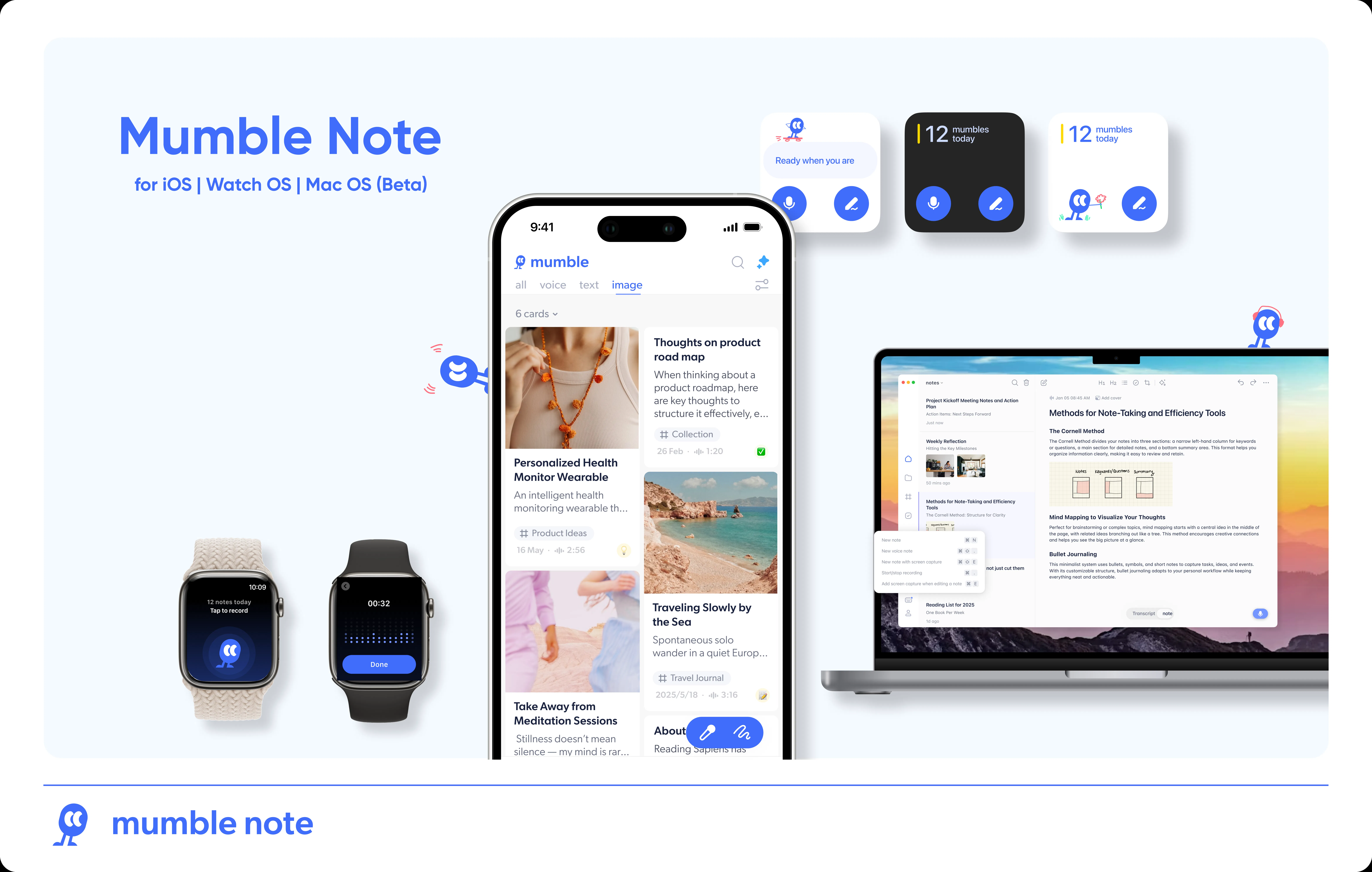
Mumble Note is an AI-powered voice notetaker application that captures spoken thoughts and converts them into clear, organized text. Developed by Qonqur, its core value lies in providing a frictionless way to document ideas, meetings, or personal memos entirely hands-free, ensuring no fleeting thought is lost. It serves as a digital scribe that listens, understands, and writes for you, streamlining the process of moving from verbal brainstorming to actionable written records.
Key features: The tool offers high-accuracy, real-time speech-to-text transcription in multiple languages, allowing for seamless note-taking during conversations or solo ideation sessions. It automatically punctuates and formats transcripts for readability. Users can organize notes with tags, folders, and search functionality. The AI can summarize long recordings into concise bullet points and extract key action items or decisions. It also supports editing and refining the transcribed text directly within the app.
What makes Mumble Note unique is its focus on low-latency, ambient recording that works reliably even in moderately noisy environments. It operates primarily as a web application, ensuring cross-platform accessibility from any modern browser, and may offer future integrations with calendar apps and cloud storage services. The underlying AI model is fine-tuned for conversational speech and technical jargon, improving accuracy over generic transcription services. It emphasizes user privacy by processing audio locally when possible or using encrypted cloud processing.
Ideal for students, journalists, researchers, and professionals in meetings who need to capture information without interrupting the flow of discussion. Specific use cases include recording lecture key points, interviewing subjects without frantic typing, documenting team stand-ups or client calls for later reference, and journaling or capturing creative ideas on the go. It is equally useful for individuals with mobility impairments or anyone who prefers speaking over typing to boost productivity and idea capture speed.